
Manual vs Automation

Fig. 1 — Manual Testing relies on human judgment. Automation relies on scripts. You need both.
My first week in testing, a senior QA engineer dropped a printed sheet on my desk. Twenty-something terms, zero context. “Learn these,” he said, and walked off. So I did what any beginner would do — I memorized the words. Smoke testing. Sanity testing. Regression testing. Exploratory testing. Integration testing. I could list them on command. But ask me which ones actually mattered on a live project, or why some needed a human while others ran on scripts? Genuinely no idea.
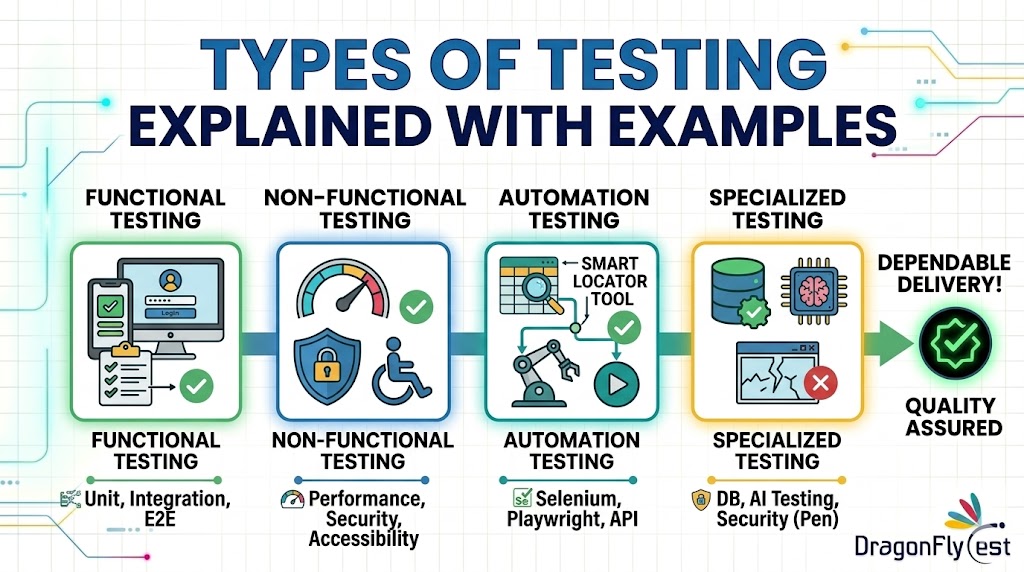
Here’s the thing no one tells you at the start: the list doesn’t matter as much as understanding why each type exists. Not every type of testing should be done manually. And not every test belongs in automation either. Some genuinely need a real human brain — curiosity, judgment, the kind of empathy that comes from actually using software as a person. Others are a flat-out waste of time if someone is clicking through them by hand every sprint. Knowing which is which? That’s the skill that separates testers who add actual value from those who just tick boxes. This guide walks through the most important types of testing — manual and automated — with real examples of what each one actually looks like.
What Is Manual Testing and When Does It Actually Make Sense?
At its core, manual testing is exactly what it sounds like: a real person sitting with an application and checking whether things work the way they’re supposed to. No scripts. No frameworks. Just the tester, the app, and either a written set of test cases or a rough idea of what needs verifying. Simple concept — but don’t let that fool you. Manual testing is still one of the most essential types of software testing, particularly when something is new, unstable, or involves human perception.
And it’s the right call more often than people assume. Plenty of scenarios genuinely need human observation, quick judgment, and the ability to adapt on the fly — none of which automation handles well. Teams that skip manual testing and jump straight to automation usually pay for it later, in bugs that slipped through and brittle test suites that break the moment something on the UI shifts.
UI and UX validation makes this obvious. Sure, you can write a script that confirms ‘this button exists on the page.’ But ‘this button feels cramped and awkward on a small phone screen’? Or ‘this error message is going to completely confuse a normal user’? Those require a human. No script has ever had an opinion about bad UX. It’s one type of manual testing where automation genuinely has nothing to offer.
Exploratory testing is another good example. No script. No predefined steps. You just start poking around a new feature, following your instincts, trying paths the developer probably didn’t anticipate. The whole thing runs on curiosity and real-time observation. You can’t automate that. You genuinely can’t. Curiosity isn’t a parameter you pass into Selenium.
What Is Automation Testing and When Should You Use It?
Automation testing is what happens when you write scripts that run your test cases for you — no human clicking required. Tools like Selenium, Cypress, Playwright, and Appium handle the heavy lifting. The point isn’t to replace testers. It’s to get the boring, repetitive stuff off their plates so they can spend time on things that actually need a brain.
Where automation testing really earns its keep is in anything repetitive and predictable. Regression testing is the obvious one. Developer pushes code, regression suite runs, results come back in minutes — no one has to schedule it or babysit it. What would take a team two days to run manually gets done in 18 minutes, automatically, on every single push. That’s not a small thing.
That said — automation isn’t free. Writing good tests takes real time. Maintaining them when the UI changes takes more. Automate the wrong things, or build on a shaky foundation, and you’ve created a maintenance problem that actively slows the team down. I’ve watched this happen. Automation is a multiplier — great strategy gets faster, bad strategy just fails faster.
3. Manual vs Automation Testing: The Honest Side-by-Side
Before we get into individual testing types, here’s an honest comparison of how the two approaches stack up where it counts:
| Factor | Manual Testing | Automation Testing |
| Best suited for | Exploratory, UI/UX, ad hoc | Regression, load, API checks |
| Speed | Slower — human in the loop | Fast — runs in minutes |
| Upfront cost | Low — no scripts needed | High — takes time to write & maintain |
| Human judgment | Yes — that’s the whole point | No — only what’s coded into it |
| Scales with volume | No — exhausting past a point | Yes — 300 tests cost the same as 3 |
| Handles new/unknown | Yes — instinct guides it | No — needs stable, known flows |
| Reusability | Low — repeated effort every sprint | High — write once, run forever |
4. Types of Testing Done Manually — With Real Examples

Fig. 2 — Four manual testing types where human judgment cannot be replaced by a script
Exploratory Testing
Exploratory testing is honestly my favorite thing to do in QA. There’s no script. You just open a feature and start messing with it. New user registration form just shipped? Don’t just test the happy path. Try an empty email. Type a phone number where the email goes. Enter a password that’s nothing but spaces. Throw in an address with two @ symbols. See what happens.
You’re thinking like someone who wants to break the app — and that mindset finds bugs that no written test case ever would. It feels less like executing a checklist and more like actually investigating. Some of the most embarrassing production bugs I’ve seen were caught this way, by someone just poking around on a slow afternoon. That freedom is the whole point.
Smoke Testing
Smoke testing is the first thing I do when a new build drops. Before touching anything else, you just want to know: is this thing even functional right now? Log in, hit the homepage, run through the main flow. Does it crash? If the login screen is broken, nothing else matters — no point testing the settings page when users can’t even get in. Takes fifteen minutes. Saves hours of wasted testing on a broken build.
Usability Testing
Usability testing is where you stop asking “does it work?” and start asking “is it actually usable?” Does the flow make sense? Do error messages explain what went wrong, or do they just show a generic red box? No automated tool can answer that — it requires a real person with real reactions. Here’s one I remember well: a checkout flow where a failed payment sent users back to the homepage. Not the payment page. The homepage. The app didn’t crash, so automation called it a pass. But anyone who went through that experience would have rage-quit. Usability testing caught it.
Ad Hoc Testing
Ad hoc testing gets no respect, and it probably deserves more. No plan. No test cases. You just start clicking around wherever your gut says something might break. I’ve done this at the end of long testing days, just as a wind-down, and found genuinely critical bugs. A form that corrupted its own data when you hit the back button twice in a row. A modal that wouldn’t close on certain screen sizes. Neither of those was in any test case. Ad hoc found them both.
5. Types of Testing Done Through Automation — With Real Examples

Fig. 3 — Three automation testing types where scripts do the heavy lifting at scale
Regression Testing
If there’s one type of testing that absolutely has to be automated, it’s regression testing. Every time code changes — even a small change — there’s a chance something that was working before just stopped. Regression tests catch that. Developer updates the payment module? The suite automatically checks login, search, cart, checkout, account management. All 300 cases. Done in 18 minutes. Doing that manually every sprint would take days. No one actually does it — and that’s exactly when regressions slip through to production.
API Testing
API testing is about checking what’s happening under the hood — right responses, correct status codes, the expected data structure coming back. Tools like Postman, RestAssured, and Karate make this surprisingly fast to set up. Walk through a simple example: testing a user registration endpoint. You fire a POST with valid data and confirm you get 201 Created back with the right user data in the body. Then you expand it — invalid email formats, duplicate accounts, missing required fields. Each check runs in milliseconds. You’re building real confidence in your backend without ever opening a browser. For any system with a real API layer, this is some of the highest-value automation testing you can do.
Performance and Load Testing
Performance and load testing answers the question every team eventually has to face: what happens when a lot of people use this at the same time? Does it slow down at 500 concurrent users? Fall over at 2,000? You can’t answer that manually — you need tools like JMeter or Gatling to simulate real traffic. They generate the kind of load your production environment will see, which is the only way to surface the bottlenecks that matter.
Here’s a real scenario: team runs a pre-launch load test, 1,000 simulated users hitting checkout. Results show the payment API starts falling apart above 600 concurrent users. They found that a week before launch — not after 10,000 customers tried to check out on release day. That’s what performance testing is for.
Sanity Testing
Sanity testing is much narrower than regression. A specific bug just got fixed — does the fix actually work? Did it break anything adjacent? That’s the scope. Quick, targeted, and focused. In automation, sanity checks are usually a small subset pulled from the full regression suite. Developer patches the discount code bug? Automated sanity test runs checkout with a valid code, confirms the discount applies correctly, then runs it once without a code to make sure normal checkout still works. Done in minutes. Confidence restored.
6. Testing Types That Work in Both Approaches
Functional testing — does this feature do what the requirements said it should? — works in both worlds. When something is brand new and still changing, you test it manually. Once it’s stable and the behavior is locked in, you automate it. Integration testing follows the same pattern: manual investigation first to understand how systems connect, then automated checks for the repeatable parts. Both types of testing shift approach as the product matures. That’s normal.
Acceptance testing is probably the clearest case of one label meaning two different things. UAT — User Acceptance Testing — is almost always manual. Real stakeholders, real users, confirming that what was built is actually what they asked for. That’s not something you automate. But you can also write automated acceptance tests in tools like Cucumber, which run the same criteria on every deployment as part of your CI/CD pipeline. Both are called acceptance testing. They serve completely different purposes. Knowing which one a conversation is about saves a lot of confusion in cross-functional teams.
7. A Practical Guide: What to Manual Test and What to Automate
The rule I keep coming back to: if a test runs more than twice a sprint with the same expected result, automate it. If it needs a human to judge whether something actually feels right to a real user, keep it manual. If you’re still figuring out what a feature should even do, don’t write a single automated test yet. Explore it manually first. Get that right, then automate. Every team that skips this order eventually wishes they hadn’t.
Conclusion: Manual and Automation Testing Work Best Together
Manual testing and automation testing aren’t in competition. They solve different problems. Manual brings judgment, creativity, and actual empathy for the people who use the software. Automation brings speed, consistency, and scale. You need both. The teams that treat them as rivals end up with either too many brittle scripts or too many bugs slipping through because nobody was actually looking.
If you’re still building your skills, resist the pull toward automation frameworks right away. I know it feels like that’s where the interesting work is. But start with manual testing. Learn to explore. Learn to write test cases. Learn what a real bug looks like before a script ever flags one. Once you’ve got that foundation, automating scenarios you already understand manually is surprisingly natural. Trying to do it the other way around — automating things you don’t yet understand — is where people get stuck.
When you genuinely understand both sides, something shifts. You look at a new feature and you just know — this one needs exploratory first, that one’s ready to automate, this flow is too unstable to touch yet. That instinct is what turns testing from a checklist into an actual strategy. And honestly, it’s when the work gets a lot more interesting.
Claim Your Free POC today at www.dragonflytest.com

 USA
USA