
How AI-Based Number Plate Recognition Actually Works — A Closer Look
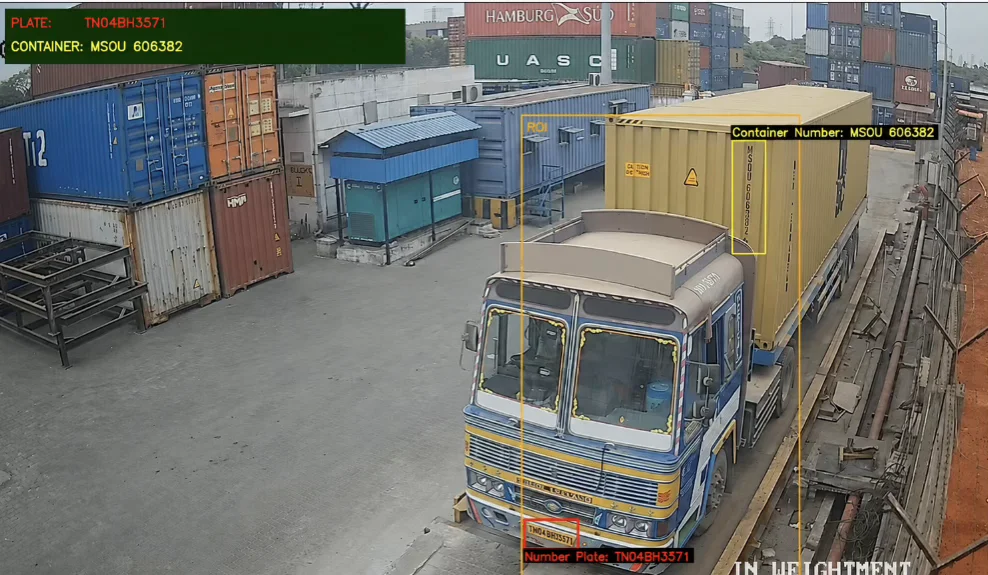
I remember the first time I saw a parking barrier lift on its own — no ticket, no attendant, no button to press. The car just pulled up, waited maybe two seconds, and in it went. I stood there for a moment thinking, what just happened? That was my introduction to automatic number plate recognition, […]
Web vs Mobile Element Identification in Selenium and Appium

Meta Title: Web vs Mobile Element Identification | Selenium vs Appium Guide Meta Description: Understand the key differences between web and mobile element identification in Selenium and Appium. Learn locator strategies, challenges, and best practices in automation testing. Focus Keywords: Web vs Mobile Testing, Selenium vs Appium, Element Identification, Mobile Automation Testing, Appium Locators Web […]
Understanding Waits in Selenium Automation
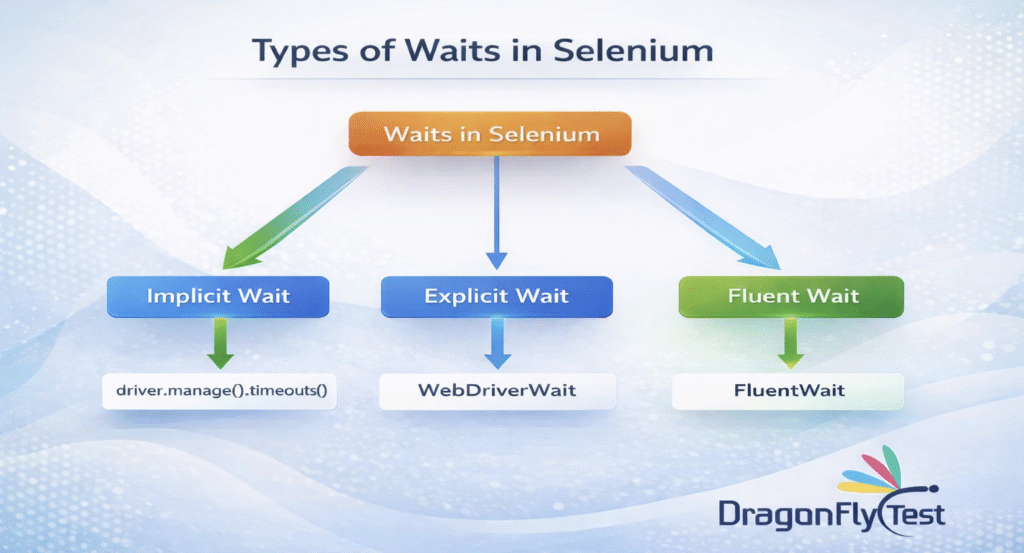
Why waits are used in automation: In automation, Selenium executes commands very fast, much faster than how a real user interacts with a website. Wait methods are used to synchronize the execution of test scripts with the state of the web application. Wait methods helps the scripts wait for certain conditions to be met before […]
Authentication Methods in API Testing

Imagine this for a moment. You’ve just finished building a brand-new API. Everything looks solid — endpoints are clean, responses are fast, and the documentation is actually helpful. You deploy it feeling confident. Then, within a couple of days, you notice a flood of unauthorized requests. Someone might be scraping your data, or worse, trying […]
Mastering End to End Flow in JMeter for Effective Performance Testing

Performance testing plays an essential role in ensuring that applications can handle real-world user loads without breaking down. One of the most effective approach to test an application behavior is through an end-to-end (E2E) flow, which simulates a complete real user flow from start to finish. Apache JMeter is a popular open-source tool which helps […]
Selenium Waits — The Thing Nobody Warns You About

My tests were failing. The locators were fine. I spent a full afternoon debugging a Selenium test that kept failing on a button click. The locator was correct. I checked it five times. The element existed on the page. Yet every run, same error — element not interactable. Then I slowed things down. I added […]

 USA
USA