
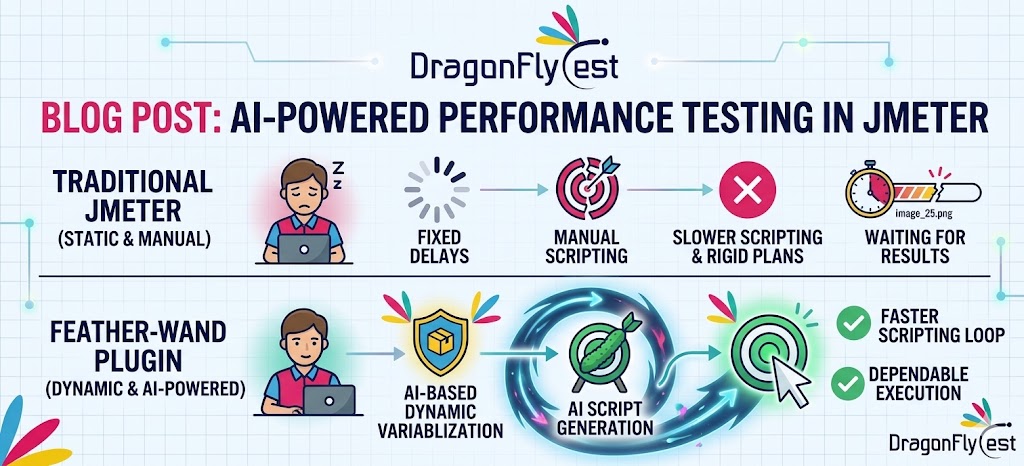
When I first heard about adding AI capabilities into JMeter, I was a bit skeptical. JMeter has always been a solid tool for performance testing, but it felt very manual — scripting, correlation, parameterization… everything needed effort.
So when I came across the Feather-Wand plugin, I was curious. Could AI actually simplify some of the repetitive work we do in JMeter? I decided to explore it hands-on.
Why Even Think About AI in JMeter?
If you’ve worked with JMeter for a while, you probably know where most of the time goes:
– Cleaning recorded scripts
– Removing unnecessary requests
– Handling dynamic values
– Maintaining large test plans
These tasks are not difficult, but they are time-consuming.
That’s where AI can help — not by replacing JMeter, but by making these steps faster and smarter.
What is Feather-Wand Plugin (From My Understanding)
The Feather-Wand plugin acts like an assistant inside JMeter. Instead of manually editing everything, it helps you:
– Analyze recorded scripts
– Identify irrelevant requests
– Suggest improvements
– Assist with basic correlation
It’s not magic, but it definitely reduces manual effort.
Getting Started (What I Did)
1. Installing the Plugin:- I used the JMeter Plugins Manager to install Feather-Wand. Once installed, it appeared as an additional component inside JMeter.
2. Recording a Sample Flow:-
I recorded a basic scenario:
– Login
– Navigate to dashboard
– Perform a few actions
As expected, the recording captured a lot of unnecessary requests (CSS, images, etc.).
3. Letting AI Assist:-
Instead of manually filtering everything, I used the plugin to:
– Identify which requests actually matter
– Remove noise from the script
– Suggest cleaner structure
It wasn’t perfect, but it gave a solid starting point.
Where AI Actually Helped Me
Reducing Script Noise:
Normally, cleaning scripts takes time. The plugin helped highlight what could be ignored.
Faster Script Understanding:
When working with large scripts, it’s easy to get lost. AI suggestions made it easier to understand flow quickly.
Basic Correlation Support:
Handling tokens and session data is always tricky. The plugin provided hints on where dynamic data might be present.
Where It Still Needs Manual Effort
AI didn’t solve everything. I still had to:
– Verify correlations manually
– Adjust logic controllers
– Fine-tune parameterization
So it’s more like a helper, not a replacement.
How It Changed My Workflow
Before:
Record → Clean → Debug → Fix
Now:
Record → AI Assist → Refine → Validate
This small shift saved a noticeable amount of time.
Things to Keep in Mind
– Don’t blindly trust AI suggestions
– Always validate your scripts
– Understand what the plugin is doing
– Use it as a support tool, not a shortcut
Final Thoughts
Implementing AI in JMeter using the Feather-Wand plugin was an interesting experience. It didn’t eliminate the need for scripting knowledge, but it definitely made the process smoother.
If you spend a lot of time cleaning scripts, it’s worth trying. Just remember — good performance testing still depends on how well you understand your application, not just the tools you use.
Claim Your Free POC today at www.dragonflytest.com

 USA
USA