
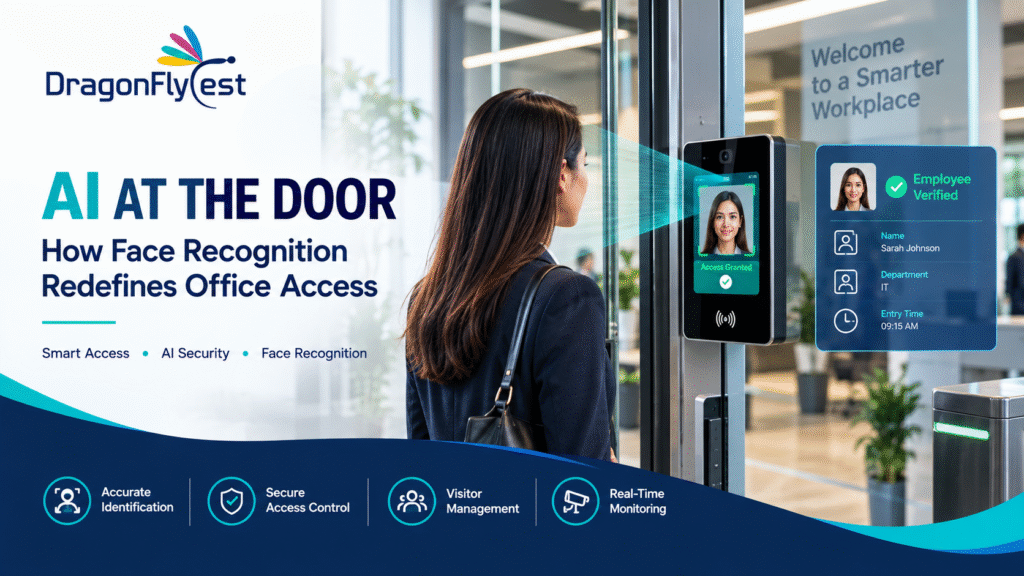
There’s a particular moment familiar to anyone who’s worked in an office with badge-based access: hands full of coffee and a laptop bag, fumbling for a badge that’s somewhere at the bottom of a pocket, while the door just sits there, locked, waiting. It’s a small friction, but it repeats dozens of times a day across an entire building, multiplied across every employee. AI Face recognition access control exists largely to remove that friction entirely — the camera sees you, confirms who you are, and the door simply opens, no badge, no fumbling, no card that can be lost, forgotten, or handed to someone else.
But framing face recognition as just a more convenient badge misses what’s actually different about it architecturally. A badge system checks whether a physical object is valid. A face recognition system checks whether the specific person standing at the door is who they claim to be, using their own biometric identity rather than something they’re carrying. That distinction changes what the system can do, how it needs to be built, and what kind of monitoring has to sit around it to keep working reliably. This post looks at how AI face recognition functions as the biometric layer controlling a magnetic lock, how the system tells a returning employee apart from someone it’s never seen before, and why camera health monitoring becomes even more critical once the camera itself is the credential.
Table of Contents
ToggleFrom Camera to Credential: How AI Face Recognition Replaces the Badge
In a traditional access control setup, the credential and the sensor are two different things — a badge and a reader. Face recognition collapses that into one: the camera itself becomes both the sensor and the identity check. When someone approaches a door, the camera captures their face, generates a biometric signature from it, and compares that signature against a database of enrolled faces authorized for that door. A match releases the magnetic lock. No match, and the door stays closed.
This works because a face, functionally, behaves like a credential that can’t be misplaced, borrowed, or duplicated the way a physical badge can. An employee can’t hand their face to a colleague to badge them in, and they can’t leave it at home. That said, this also raises the stakes on getting the recognition itself right — a badge system either reads a valid card or it doesn’t, with very little ambiguity. Face recognition has to work reliably across different lighting conditions, angles, partial obstructions like a scarf or a mask, and the simple fact that people’s faces change slightly day to day. A system that’s too strict locks out legitimate employees constantly; a system that’s too lenient risks matching the wrong person. Getting that balance right is really the core engineering challenge behind any face recognition access system.
The Magnetic Lock Doesn’t Change — What Triggers It Does
It’s worth being clear about what face recognition actually replaces and what it doesn’t. The magnetic lock itself — the physical mechanism holding the door shut and releasing it on command — works exactly the same way it would in a badge-based system. What changes is the trigger. Instead of a badge reader sending an unlock signal after validating a card, the face recognition engine sends that same signal after validating an identity.
This matters because it means face recognition can slot into the same layered permission model that any well-designed access system already needs. Different doors can still have different authorized user groups. A general employee might be recognized and granted access at the main entrance and shared floors, while access to a server room or an executive area requires membership in a smaller, more restricted list of enrolled faces. Time-based restrictions still apply too — someone authorized for daytime access doesn’t necessarily get an automatic unlock at 2am just because their face is recognized. The biometric layer changes how identity gets confirmed, not the underlying logic of who’s allowed where and when.
Fail-safe behavior during a power outage matters just as much here as it does in any magnetic lock system — doors need to release automatically if power is lost, so life-safety requirements around emergency egress aren’t compromised by the fact that the unlock mechanism happens to be driven by a camera instead of a badge reader.
Recognizing the Regulars — and Flagging Everyone Else
One of the more useful behaviors of a well-built face recognition system is what happens when it encounters someone who isn’t in its database at all. Rather than simply denying access and stopping there, a properly designed system distinguishes between “this face doesn’t match any enrolled employee” and “this face has never been seen before,” and treats the second case as its own category: a new visitor.
This distinction matters for how an office actually operates day to day. Employees get enrolled once and recognized automatically from then on, with the system building increasing confidence in that identity every time it sees them again. A first-time visitor — a job candidate, a vendor, a delivery person, a client meeting with someone on the team — doesn’t have an enrolled profile, but the system still recognizes that a face is present at the door, generates a signature for it, and flags it as new rather than simply throwing a generic access-denied response.
That flag typically routes to reception or a designated staff member, often with a captured image attached, so a human can quickly see who’s actually standing at the entrance and decide how to proceed — buzzing them in, coming to greet them, or directing them to a formal visitor registration process. If that same face returns on a future visit, the system can recognize it as a returning known visitor rather than treating them as brand new every time, which is particularly useful for frequent vendors or contractors who visit regularly without being full employees enrolled with standing access.
Why Camera Health Monitoring Matters Even More Here
In a conventional office monitoring setup, a camera going offline creates a blind spot in surveillance coverage — a real problem, but a somewhat contained one, since access control through badges keeps functioning independently of whether a nearby camera is streaming. Face recognition access control removes that separation entirely. If the camera serving as the biometric credential reader loses its stream, isn’t just surveillance that goes dark — the door itself effectively stops working as intended, since there’s no way to verify identity and trigger the unlock.
This is why continuous, automated monitoring of camera health becomes even more critical in a face-recognition-driven system than in a standard setup. The system needs to distinguish between a camera that’s fully disconnected — offline, no signal reaching the platform at all — and one that’s technically connected but delivering a degraded or unusable stream, which can be just as disruptive to recognition accuracy even though the camera looks “online” at a glance. Both situations directly threaten the door’s ability to function, not just the building’s surveillance coverage, which raises the urgency of catching either issue quickly.
A well-designed platform checks in on every access-point camera at frequent, regular intervals specifically because of this dependency. A stream that’s degraded enough to interfere with reliable face matching needs to be caught and flagged before it starts producing false rejections or, worse, unreliable matches — not discovered only after employees start complaining that a specific door has stopped recognizing anyone properly.
Alerts That Reach the Right Person Before It Becomes a Problem
Detecting a camera issue at an access point is only half the job — the other half is making sure that detection turns into an alert someone actually sees in time to act. A camera serving a high-traffic entrance failing during business hours is a very different priority than the same failure occurring on a rarely used side door overnight, and a good alerting system reflects that difference rather than treating every camera issue identically.
Alerts tied to access-point cameras typically need to move fast, given that a failure here has an immediate operational impact — people physically unable to get through a door, not just a gap in recorded footage reviewed later. A centralized dashboard becomes the natural home for this, showing the live status of every access-point camera alongside the health of doors, locks, and general surveillance cameras throughout the building, so a facilities or security team can immediately see whether a reported access problem traces back to a camera issue, a lock malfunction, or something else entirely.
One Dashboard, Three Layers of Information
What ties all of this together — face recognition, lock control, camera health — is a centralized dashboard that doesn’t force a security team to check three separate systems to understand what’s actually happening at any given door. A well-integrated dashboard shows, at a glance, which doors are locked and unlocked, which access-point cameras are healthy versus degraded or offline, recent recognition events including any flagged new visitors waiting for attention, and any active alerts across the whole system.
This integration matters because these three layers are deeply interdependent in a face-recognition-driven system in a way they aren’t in a badge-based one. A lock event is meaningless without knowing which face triggered it. A new-visitor flag is only useful if it reaches a person quickly. And a camera health problem at a specific door isn’t just a surveillance gap — it’s potentially the reason that door has stopped working correctly for the people trying to use it. Bringing all of this into a single view is what makes the system genuinely manageable rather than a set of parts that each work fine individually but leave gaps in the seams between them.
The Convenience Is the Easy Part
It’s tempting to describe face recognition access primarily in terms of convenience — no badge, no fumbling, a smoother walk through the door. That part is real, but it’s the least interesting piece of what actually makes this kind of system work. The harder, more consequential engineering happens in how reliably the recognition performs across real-world conditions, how cleanly new visitors get distinguished from denied access, how tightly the system reacts when a camera’s health degrades before that degradation turns into a door nobody can open, and how well all of that gets surfaced through a single dashboard rather than scattered across disconnected tools.
Get those fundamentals right, and face recognition access stops being a novelty and becomes what badge systems have quietly been for decades: infrastructure nobody thinks about, until the day it doesn’t work — at which point how quickly the problem gets noticed and fixed is really the whole measure of whether the system was built well in the first place.

 USA
USA